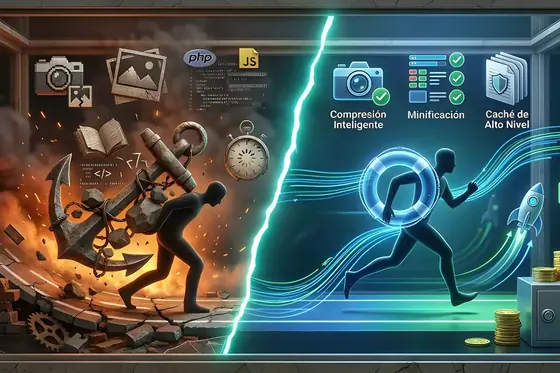
Bloated Images: The #1 Mistake That Makes Your Website Load at a Snail’s Pace
Is your website slow to load? Discover why uploading heavy photos from your phone destroys your sales and how DapSite optimizes your images automatically.

In short
Uploading multi-megabyte photos straight from a camera or phone is the most common mistake that slows a website down: it punishes mobile visitors, worsens LCP and bloats hosting storage and backups. The fix is resizing images to the size your design uses, converting them to WebP and lazy loading.
You just wrapped up an amazing photo shoot of your products or your team. You take those spectacular photos, straight from the professional camera or your latest iPhone, and upload them directly to your website. You want your customers to see every detail in pristine quality.
However, you just made the most common and destructive technical mistake for your online business’s performance. You just uploaded “bloated” images.
At DapSite, we analyze dozens of slow websites every week, and in 90% of cases, the culprit is the same: 5-Megabyte (MB) photographs trying to squeeze through an impatient customer’s mobile internet connection. Here is why more resolution isn’t always better and how we fix it.
Why Heavy Images Destroy Your Sales
Uploading an original camera photo to your website is like trying to shove a giant billboard through the front door of a house. It’s unnecessary, clumsy, and blocks the entrance.
These are the three collateral damages of not optimizing your images:
1. Immediate Mobile Abandonment
Over 70% of your customers visit your website from their smartphones. If your homepage has three images at 4 MB each, your customer’s phone has to download 12 MB of data just to see what your business is about. If it takes more than 3 seconds, the user will close the tab and go to your competitor’s website, which loaded instantly.
2. The LCP Collapse (Core Web Vitals)
As we discussed in our article on Core Web Vitals, Google measures the time it takes to load the largest element on your screen (LCP). If that element is a “bloated” image, you will fail Google’s speed test. The punishment? Your website will be pushed down in the search results.
3. Server Saturation (Hosting)
Space on your server costs money. If you upload uncompressed photos, your database and storage will fill up in record time. Furthermore, when it’s time to run a backup, the file will be so massive that it could cause errors during the process.
The Size Illusion: What the Eye Can’t See
The human eye on a computer or mobile screen cannot tell the difference between an image that is 4000 pixels wide (weighing 5 MB) and an image resized to 1200 pixels with smart compression (weighing 150 KB).
However, for your customer’s web browser, the second image loads 33 times faster.
DapSite’s Invisible Optimization
You shouldn’t have to spend hours in Photoshop resizing every photo before uploading it to your blog or store. As a business owner, your job is to create content; ours is to make it fly.
With DapSite Support Plans, we implement an image optimization system on autopilot:
| The Problem | How your DapSite Plan solves it automatically |
|---|---|
| Images that are too large | The system automatically resizes the photo to the maximum size allowed by your design (e.g., from 4000px down to 1200px) the moment you upload it. |
| Heavy JPG and PNG files | We silently convert your images to WebP, the next-generation format recommended by Google that weighs 30% less without losing visual quality. |
| Unnecessary photo loading | We implement Lazy Loading. Your website will only download the photos as the customer scrolls down the screen, saving data and time. |
Conclusion: Less Weight, More Speed, More Sales
A fast website conveys professionalism, trust, and efficiency. Don’t let unnecessarily large files drown your digital sales engine.
Do your images take too long to appear on the screen?
Leave the technical optimization in our hands. With DapSite's Standard and Pro plans, we optimize your site's images: we compress them and convert them to modern formats so your customers see your products without waiting and your site meets Google's speed metrics.
If your site is already slow to load, see how we speed up a slow website.
Frequently asked questions
Why do images make my website load slowly?
Because a photo fresh out of the camera can weigh 4 or 5 MB, and your customer’s phone has to download it completely before showing it. If your homepage has three images like that, that is 12 MB just to see what your business is about. On a mobile connection, that wait is enough for many visitors to close the tab and go to a competitor.
What is LCP and what does it have to do with my images?
LCP (Largest Contentful Paint) is one of Google’s Core Web Vitals: it measures how long the largest element on the screen takes to appear, and that element is often an image. If it is a “bloated” photo, you will fail this speed test, and a poor loading experience can push your website down in the search results.
What size and format should my website’s images be?
They should match what your design actually displays, for example 1200 pixels wide instead of 4000, and be compressed. The WebP format, recommended by Google, weighs considerably less than JPG or PNG with no visible loss of quality. A well-optimized photo can drop from 5 MB to around 150 KB and load many times faster in your customer’s browser.
What is lazy loading?
It is a technique that makes your website download images as the visitor scrolls down the page, instead of all of them at once. That way the first screen appears sooner and both data and time are saved. Together with resizing and the WebP format, it is part of good speed optimization, one of the services included in DapSite’s support.