The “Not Secure” Red Sign: Why a Missing SSL Padlock Scares Your Customers Away
Does your website show a “Not Secure” warning? Discover how a missing SSL certificate destroys your sales and how DapSite fixes it forever.
In short
Without an active SSL certificate, browsers like Chrome flag your website as “Not secure” and many visitors leave. With HTTPS, your customers’ data travels encrypted, contact forms included. Certificates expire and mixed content breaks the padlock, so they must be renewed and monitored.
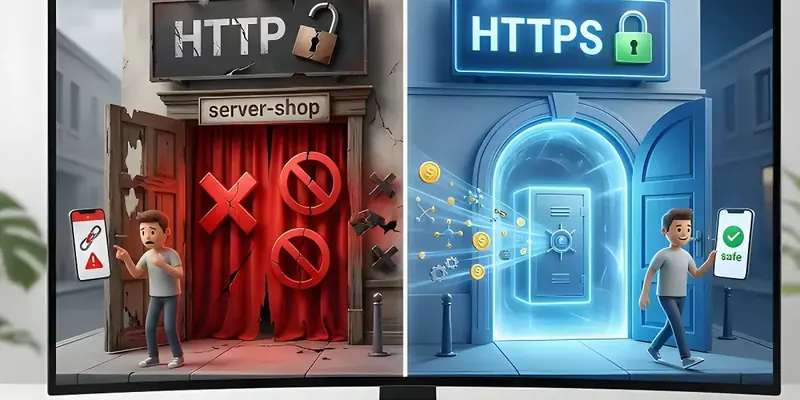
Imagine walking up to an elegant physical store with incredible products in the window. But just as you go to open the door, a security guard steps in, puts a hand on your chest, and says: “I don’t recommend going in there. If you give them your credit card, someone might steal it.”
Would you go in anyway? Of course not. You would turn around and leave immediately.
In the digital world, that security guard is your customer’s browser (Chrome, Safari, Edge). And if your website doesn’t have an active and updated SSL certificate, the browser will block your customer’s entry with a giant red warning that says: “Site Not Secure.”
At DapSite, we are constantly surprised by how many businesses lose daily sales simply because they forgot to renew a technical certificate. Here is what this invisible padlock actually is and why it is the absolute pillar of online trust.
What Exactly is an SSL Padlock? (The Armored Tunnel)
When a customer enters their data on your website (their email, password, or credit card number), that information has to travel from their computer to your server.
- Without SSL (HTTP): The information travels like a “paper postcard.” Any hacker intercepting the Wi-Fi connection can easily read your customer’s card number.
- With SSL (HTTPS): The information is placed inside a digital safe, encrypted with an unbreakable code, and travels through an armored tunnel. Even if a hacker intercepts it, they will only see a meaningless jumble of letters and numbers.
The SSL (Secure Sockets Layer) certificate is what activates that armored tunnel and makes the famous closed padlock appear next to your website address.
3 Ways an Expired SSL Destroys Your Business
Many website owners believe that if they don’t sell products directly (i.e., if they only have an informational site), they don’t need an SSL. This is a fatal mistake. Today, the lack of this certificate punishes you in three ways:
1. The Red Sign Panic
Modern browsers are no longer neutral. If your site lacks SSL, Google Chrome doesn’t just remove the padlock; it displays a bold, red text that says “Not Secure.” For the average customer, this is synonymous with “This page is a virus.” Trust is lost instantly, and page abandonment rates soar above 85%.
2. Form Blocking
If you have an online store or even a simple contact form, stricter browsers will simply prevent the customer from clicking the “Submit” button. A privacy warning will block the action to protect the user, completely paralyzing your ability to generate leads or sales.
3. The SEO Abyss (Google Ranking)
Google has a clear mission: to protect its users. Therefore, its algorithm severely penalizes pages without HTTPS. If your website is competing against a competitor for the top spot on Google, and theirs has SSL while yours doesn’t, Google will—without exception—send them to the first page and sink you into oblivion.
The DapSite Standard: Automatic and Permanent SSL
The biggest problem with SSL certificates on budget hosting plans is that they expire. You have to remember to manually renew them every 90 days or every year. If you forget, your website wakes up with the “Dangerous Site” sign.
With DapSite Support Plans, we remove human error from the equation:
| Situation | Traditional Hosting (Manual Management) | The DapSite Standard |
|---|---|---|
| Renewal | You have to generate technical codes and renew manually. If forgotten, the site gets blocked. | 100% Automatic Renewal. Our system renews the certificate before it expires without you lifting a finger. |
| “Mixed Content” Errors | You have the padlock, but an old image causes the padlock to break and show an error. | We scan your code and force HTTPS traffic so the padlock is green and unbreakable on every page. |
| Cost | Many providers charge an extremely high annual fee for the certificate. | Military-grade SSL certificates included at no extra cost in your infrastructure. |
Conclusion: Trust is Your Most Valuable Currency
On the internet, trust is fragile. It takes years to build a brand reputation, but only a second and a “Not Secure” sign to destroy it.
Does a closed, secure padlock appear when you visit your website from your phone?
If you see a security warning, you are losing customers at this very moment. With a DapSite Support Plan, we armor your traffic, protect your customers’ data, and prove to Google that your business is a first-class secure environment.
If you would rather have someone handle this for you, see our WordPress maintenance service.
Frequently asked questions
What is an SSL certificate and what is it for?
It is what enables the secure HTTPS connection between your customer’s browser and your server. With it, the data someone types on your website, such as their email, password or card number, travels encrypted through an armored tunnel: if anyone intercepts the connection, they only see a meaningless jumble of letters and numbers. Its visible sign is the padlock next to your web address.
Does my website need SSL even if I don’t sell anything online?
Yes. Believing an informational site doesn’t need it is a mistake. Without SSL, Chrome shows “Not secure” next to your address, which many users read as a dangerous site. Stricter browsers can also show warnings or block form submissions, and Google takes HTTPS into account when ranking its results. Without the padlock you lose trust, leads and rankings.
Why does my website say “Not secure” if it already had a certificate?
There are two common causes. The first is that the certificate expired: many must be renewed every 90 days or every year, and if nobody does it on time, the warning appears. The second is mixed content: even with a certificate, an old image or another resource loaded over HTTP can break the padlock. The fix is automatic renewal and forcing HTTPS on every page.
Does SSL affect my Google ranking?
Yes. Google’s mission is to protect its users, which is why it takes into account whether your site uses HTTPS. If you are competing for the top spots against a site that has SSL and yours doesn’t, you start at a disadvantage. DapSite’s Standard and Pro plans include hosting, domain and SSL maintenance, so your certificate never expires through an oversight.
Sources
- What is HTTPS? — Cloudflare Learning Center (opens in a new tab) · cloudflare.com
- A secure web is here to stay — Chromium Blog (opens in a new tab) · blog.chromium.org
- HTTPS as a ranking signal — Google Search Central Blog (opens in a new tab) · developers.google.com