The PHP Hourglass: Why an Outdated Version is a Ticking Time Bomb
Is your website using an old PHP version? Discover why an outdated server slows down your speed, attracts hackers, and how DapSite updates it risk-free.
In short
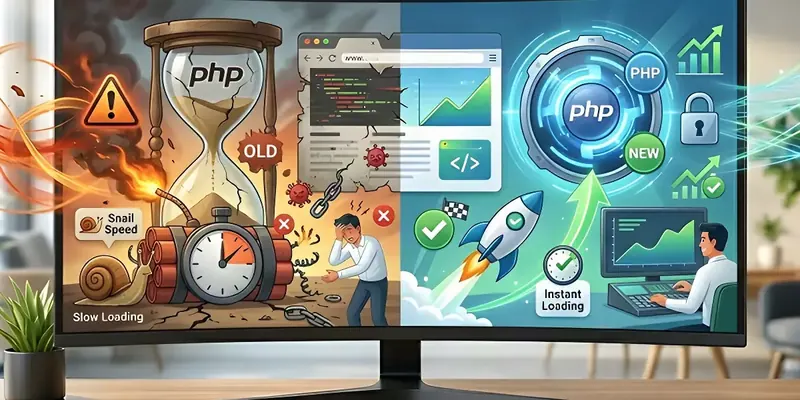
PHP is the engine that builds every page of your website, and every version expires: at end of life it stops receiving security patches. An old PHP slows your site down and clashes with updated tools until it breaks. The safe approach is to test the new version on a private staging copy first.
In this article
Imagine trying to install the latest artificial intelligence app on a ten-year-old smartphone. It probably won’t even open, or if it does, the phone will freeze, and the battery will drain in minutes.
In the website world, the exact same thing happens. Many business owners invest in modern design, install the best tools, and upload beautiful photos, but completely ignore the “operating system” that makes it all work. That operating system is called PHP.
At DapSite, we constantly encounter websites that are beautiful on the outside but run on obsolete engines on the inside. Here we explain what PHP is and why ignoring its updates is literally a ticking time bomb for your business.
What exactly is PHP? (In plain English)
Think of PHP as the engine of your website. When a customer visits your online store and clicks “View Product,” PHP is the messenger that runs to the database, fetches the price, grabs the photo, assembles the page, and delivers it to your customer.
Like any technology, PHP is constantly updated to be faster and more secure. If your website was built a couple of years ago and has never received maintenance, it is highly likely that it is using an old version of this engine.
The 3 Dangers of an Obsolete Engine
Keeping an old version of PHP on your server isn’t just a technical problem; it’s a financial risk. Here is what happens when the hourglass runs out:
1. The Backdoor for Hackers (End of Life)
Every PHP version has an expiration date. When it reaches its “End of Life,” its creators stop releasing security patches for that version. If a new vulnerability is discovered, no one will fix it. Hackers know this, and they use automated programs to scan for websites running old PHP versions because they know they are easy targets for data theft or malware injection.
2. Driving with the Parking Brake On
Every new version of PHP is designed to process information much faster than the last. For example, upgrading from an old version (like PHP 7.4) to a recent one (like PHP 8.2) can make your site load up to 50% faster automatically. If you use an old engine, you are wasting speed and losing customers who get tired of waiting.
3. Broken Tools and Incompatibility
Tools creators (like those for online stores or payments) update their code to work with the latest PHP versions. If your tools update but your PHP stays old, eventually the code will “clash.” The result is the dreaded white screen: your website completely breaks and goes offline.
A recent example of why this matters is PHP2Shell, the critical PHP vulnerability of October 2026. We explain what it is and what to do if your site runs on WordPress in PHP2Shell: the critical PHP vulnerability and what to do.
The Danger of Updating It Yourself
At this point, you might think: “Well, I’ll just log into my hosting panel and click update PHP.” Stop right there!
Updating PHP without caution is the number one cause of catastrophic website crashes. If even a single tool on your site is incompatible with the new version, the entire website will collapse instantly.
That is why, at DapSite, we handle this critical process within our Support Plans with surgical precision:
| Aspect | The Risky Method (DIY) | The Secure DapSite Method |
|---|---|---|
| Compatibility Testing | None. You update and pray it works. | We clone your site (Staging) and test the new version in private first. |
| Downtime | If something fails, your site is offline for hours. | Zero downtime. We only apply the change when we are 100% sure. |
| Performance | You keep losing speed with old versions. | Your website always uses the fastest, most secure, and modern engine available. |
Conclusion: A Modern Engine for Continuous Sales
Your business cannot afford to operate on an obsolete and vulnerable code base. Keeping your technological environment updated is your website’s life insurance.
Have no idea what PHP version your website is using?
It is highly likely out of date. With a DapSite Support Plan, our team of experts will audit your server, securely update your engine, and armor your site against incompatibilities and cyberattacks.
If you would rather have someone handle this for you, see our WordPress maintenance service.
Frequently asked questions
What is PHP and why does it matter for my website?
PHP is the engine of your website. When a customer visits your store and clicks “View product”, PHP runs to the database, fetches the price and the photo, assembles the page and delivers it. Like any technology, it is updated to become faster and more secure, and if your site has gone years without maintenance, it is very likely running an old version.
What happens if my website uses an old PHP version?
You face three risks. Security: once a version reaches end of life it stops receiving patches, and hackers hunt for those sites with automated programs. Speed: recent versions process information much faster, so you are stuck with the parking brake on. And compatibility: your tools are updated with modern PHP in mind, and sooner or later the code clashes.
What does it mean when a PHP version reaches “end of life”?
It means its creators have stopped releasing security patches for it. If a vulnerability is discovered afterwards, nobody will fix it, and attackers know this: they use automated programs to find sites running old versions, because they are easy targets for data theft or malware injection. That is why keeping PHP on a supported version is a basic part of maintenance.
Can I update PHP myself from my hosting panel?
Technically yes, but it is risky. If even a single tool on your site is incompatible with the new version, the whole website can go down instantly. The safe approach is to clone the site into a testing environment (staging), check that everything works there with the new version, and apply the change to the live site only when you are completely sure there will be no downtime.