The Lead Life Preserver: Why Storing Backups on Your Own Server is a Trap
Are your backups stored on the same server as your website? Discover why local backups are a danger and how DapSite protects your site in the cloud.
In short
Keeping backups on the same server as your website is a trap: a hacker can delete them along with the site, they double its weight and fill the disk, and a fire or data center failure destroys everything at once. The safe option is off-site, encrypted backups in an independent cloud.
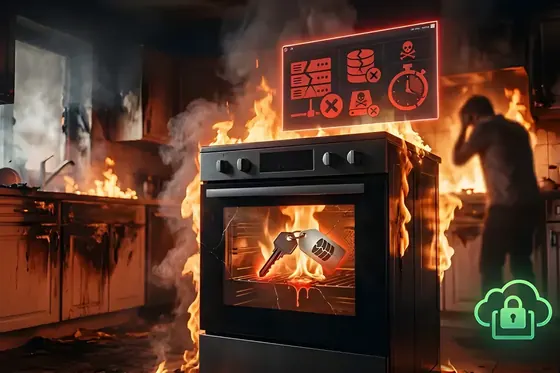
Imagine you decide to be cautious and make a spare key for your house in case of an emergency. But, instead of giving it to a trusted family member, you decide to hide that backup… inside your own kitchen drawer. If you ever lose the original key and get locked out, the spare won’t do you any good because it is locked in the exact same place you are trying to enter.
Although it sounds absurd, this is exactly what 80% of website owners do with their backups.
At DapSite, we know that just having a backup isn’t enough; where you store it is the real difference between saving your business in 10 minutes or losing years of work forever. Here we explain the hidden danger of local backups and how we truly armor your information.
The Hidden Danger of “Local Backups”
Most budget-friendly hosting services or free website tools do something called a “local backup.” This means they bundle all of your website’s files and save that giant package on the exact same server where your page is hosted.
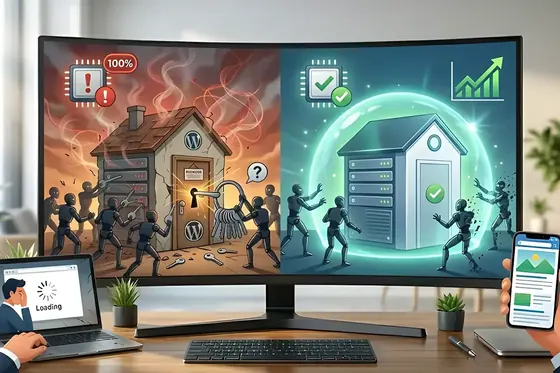
It is the digital equivalent of keeping the spare key inside the house. If the server fails, you lose the website and you lose the backup.
Here are the three scenarios where a local backup will leave you stranded:
1. Data Hijacking (Ransomware and Hacks)
If a hacker manages to breach your server, they won’t just inject viruses into your public website; they will also infect or delete the folder where you keep your local backups. When you try to restore your site to clean it, you will realize your “life preserver” is also poisoned.
2. Maxed-Out Hard Drives and Website Crashes
Every time you run a local backup, you are doubling your website’s weight. If your page weighs 2 GB, in a single month of daily backups, your server will be stuffed with 60 GB of junk files. When the server’s hard drive hits 100% capacity, your website collapses, goes offline, and stops selling.
3. Physical Disasters in the Data Center
Servers are not magical clouds; they are physical computers in giant buildings. If your provider’s data center suffers a fire (like the famous OVH blackout in Europe that destroyed millions of websites), a flood, or a catastrophic hardware failure, the physical hard drive burns. If your website and your backup were on that exact same drive, your digital business ceases to exist.
The 3-2-1 rule: where to keep your backups
For a backup to save you, it has to be far from the problem. The most widely used practice is the 3-2-1 rule:
- 3 copies of your data: the live site and two backups.
- 2 different types of storage, for example the server and a cloud service.
- 1 copy off-site, away from both your server and your hosting provider, so a hack, a suspension or a data center failure can't take everything at once.
This article is about backups that you or a plugin store on your own server. If you rely on the backups your hosting provider offers, read The Spare Key in the Oven: it explains why those copies aren't enough either and how to check what your host actually keeps.
The DapSite Standard: Off-Site Backups
Professionals don’t leave their rescue plan in the danger zone. They use Off-Site Backups.
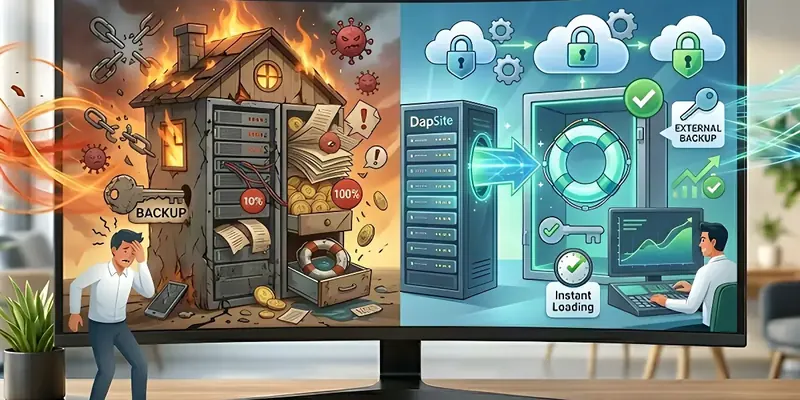
This means that every time we back up your website, we encrypt it and send it through a secure tunnel to a completely independent and geographically distant cloud server (like Amazon AWS or Google Cloud).
Within our Support Plans, this is our standard rescue strategy:
| Situation | With Local Backup (Traditional Hosting) | With Off-Site Backup (DapSite Support) |
|---|---|---|
| The physical server catches fire | You lose your website and your backups. You have to start from scratch. | We have your data in an external vault. We clone your website onto a new server in minutes. |
| Ransomware Attack | The hacker encrypts your website and also encrypts your local copies. | The hacker has no access to our external vault. We delete the infected server and restore the clean version. |
| Hosting Storage | Fills up quickly, charging you penalties or crashing your site. | Your server stays light and fast. We absorb the cost of the external cloud storage. |
Conclusion: Real life insurance for your business
Having a backup on the same server as your website is an illusion of security. True technological rescue requires redundancy, isolation, and military-grade cloud storage.
Do you know exactly what country and what server your website’s backups are stored on?
If the answer is “no,” your business is at risk. With a DapSite Support Plan, we schedule automatic, daily, off-site backups to armored cloud vaults. No matter what happens to your server, we will always have the key to recover your business in minutes.
If you would rather have someone handle this for you, see our WordPress maintenance service.
Frequently asked questions
Why shouldn’t I keep backups on the same server as my website?
Because if the server fails, you lose the website and the backup at the same time. A hacker who gets in can infect or delete the backup folder too; a disk filled with local copies can crash the site; and a fire or serious failure at the data center can destroy the physical machine where both live. It is only an illusion of security.
What is an external or off-site backup?
It is a backup stored far away from your website’s server. Each copy is encrypted and sent through a secure channel to an independent, geographically distant cloud server, such as Amazon AWS or Google Cloud. If your server catches fire or suffers an attack, the copy stays intact and your website can be cloned onto a new server in minutes.
Do backups protect me from ransomware?
Only if they are out of its reach. A ransomware attack encrypts your website’s files and, if the backups sit on the same server, it encrypts them as well. If the backup lives in an external vault the attacker can’t access, however, all it takes is wiping the infected server and restoring the clean version to get back online.
How often should I back up my website?
Ideally, backups should be automatic and daily, so you don’t depend on someone remembering to do them. Just as important is knowing where they are stored: if you don’t know which country or which server holds your website’s backups, your business is at risk. DapSite’s Basic Plan includes daily backups as part of its maintenance.
Sources
- #StopRansomware Guide — CISA (opens in a new tab) · cisa.gov
- Backups — WordPress Advanced Administration Handbook (opens in a new tab) · developer.wordpress.org